
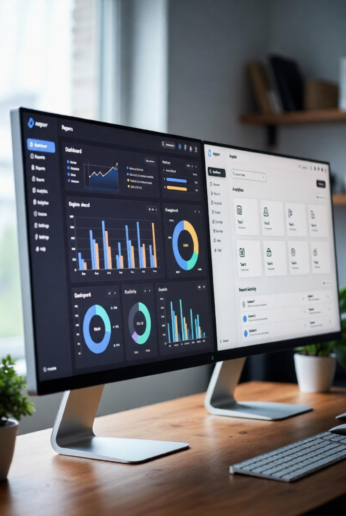
Modern managers are drowning in data, meetings, and constant context switching, yet they’re still expected to monitor performance, spot risks early, and make fast, high‑quality decisions. In this environment, AI is no longer a “nice to have”; it’s becoming the backbone of smart management systems that quietly track what matters and surface insights at the right time.
Used well, AI tools help you monitor workflows, KPIs, and team health in real time so you can lead with clarity instead of gut feel. They don’t replace human judgment; they give you a sharper lens and a faster feedback loop.
Below is an experience‑driven guide to the AI tools and practices every manager, team lead, and business owner should focus on to monitor work more intelligently.
Why managers need AI tools to monitor effectively
Managerial roles have expanded far beyond supervision — you’re expected to be a strategist, coach, analyst, and project owner all at once. Without the right team monitoring tools, it’s easy to miss early signals of burnout, delays, or slipping quality.
Generative AI can act as a “thought partner” that helps managers weigh pros and cons, evaluate trade‑offs, and think through complex problems more systematically. At the same time, analytics platforms help leaders monitor performance and build a culture where data and accountability are visible across the organisation.
When you combine AI in management with clear KPIs and dashboards, you get a live picture of what’s happening: projects at risk, trends in customer experience, and whether your team’s efforts align with strategic priorities.
7 powerful AI tools managers must monitor
These seven tools cover decision support, project execution, and analytics — the three pillars of data‑driven leadership.
1. ChatGPT – your decision support copilot
ChatGPT functions as an on‑demand thinking partner that can analyse scenarios, generate options, and highlight risks so you can monitor the quality of your decisions, not just their outcomes. You can use it to structure decision frameworks, pressure‑test a plan, or ask it to play devil’s advocate before you commit.
For example, a sales manager can paste pipeline data and ask ChatGPT to outline best‑case, base‑case, and worst‑case scenarios, along with leading indicators to monitor weekly. It can also help draft communication plans, meeting agendas, and follow‑up emails so your team stays aligned around the decisions you make.
The key is to treat ChatGPT as a productivity tracking AI for your thinking — it won’t replace your judgment, but it will push you to consider blind spots and make your reasoning more explicit.
2. Notion AI – workflow brain for your team
Notion has evolved from a static workspace into an AI‑powered operations hub where agents can automate tasks, summarise pages, and keep your workspace organised. With Notion AI, managers can monitor projects, documentation, and decisions from a single source of truth instead of juggling multiple tools.
You can use Notion AI to summarise long project pages, auto‑create meeting notes, and generate weekly status reports based on recent updates. Advanced setups even allow AI agents to auto‑assign tasks, route updates to the right people, and trigger actions when certain fields change, giving you a smart management system that quietly keeps work on track.
Imagine consolidating your roadmap, team tasks, and knowledge base into Notion and asking AI to surface everything “blocked this week” so you can monitor critical bottlenecks before they explode.
3. Trello + AI (Butler & Atlassian Intelligence)
Trello’s Butler automation and Atlassian Intelligence bring AI into lightweight project boards, making them much more than digital sticky notes. Butler rules can automatically move cards, assign owners, and set due dates when certain triggers occur, helping managers monitor process health without manual chasing.
With AI‑powered features, Trello can summarise discussions, suggest task assignments, and help prioritise cards based on due dates, dependencies, and workload. That means your board becomes a live reflection of reality instead of a static backlog that’s always out of date.
A marketing lead, for instance, can monitor campaign execution by having Trello automatically flag overdue tasks, roll up status summaries, and push key updates into Slack channels, all driven by AI rules instead of spreadsheet maintenance.
4. Asana Intelligence – AI for structured execution
Asana has introduced a suite of AI features designed specifically to help managers monitor complex initiatives and keep everyone aligned. Smart Summaries condense project activity into digestible updates, while Smart Status drafts status reports based on tasks, milestones, and blockers.
Managers can ask Asana’s AI chat to answer questions like “What’s blocking the launch?” or “Which tasks are at risk this week?” and receive insights drawn from all tasks and comments in the workspace. Smart Fields and Smart Projects automatically suggest the right custom fields and structures, making it easier to standardise tracking across teams.
This turns Asana into a true team monitoring tool: you monitor health at portfolio, project, and task levels from one place, with AI doing most of the heavy lifting on summaries and risk detection.
5. ClickUp Brain – connected intelligence across work
ClickUp Brain is an AI‑powered assistant integrated into ClickUp that connects tasks, docs, people, and external apps into a single knowledge layer. It can automatically generate status updates, summarise comment threads, and populate key task fields like assignees, priorities, and due dates.
For managers, this means you can monitor project progress simply by asking questions like “What changed on the Q3 launch last week?” or “Who owns the next step for the customer migration?” and get real‑time answers from across your workspace. ClickUp Brain can also flag potential risks, highlight upcoming milestones, and condense a week of discussion into an actionable checklist for your next stand‑up.
Because it connects across docs and projects, ClickUp becomes a smart management system rather than just a task list — a central place where you monitor execution and context in one view.
6. Tableau – visual performance radar
Tableau specialises in turning raw data into interactive dashboards that leaders can use to monitor KPIs, trends, and outliers at a glance. Organisations use Tableau dashboards across HR, customer service, and operations to track metrics like headcount, satisfaction scores, response times, and SLA compliance.
A well‑designed dashboard aligns your organisation, uncovers key insights, and speeds up decision‑making by putting the most important numbers in front of managers every day. You can set alerts when metrics fall below targets, drill down into specific teams or regions, and share dashboard subscriptions so stakeholders see the same picture.
For example, a customer support director can monitor case volume, resolution time, and CSAT on one screen, spotting patterns early and coaching reps based on live data rather than quarterly reports.
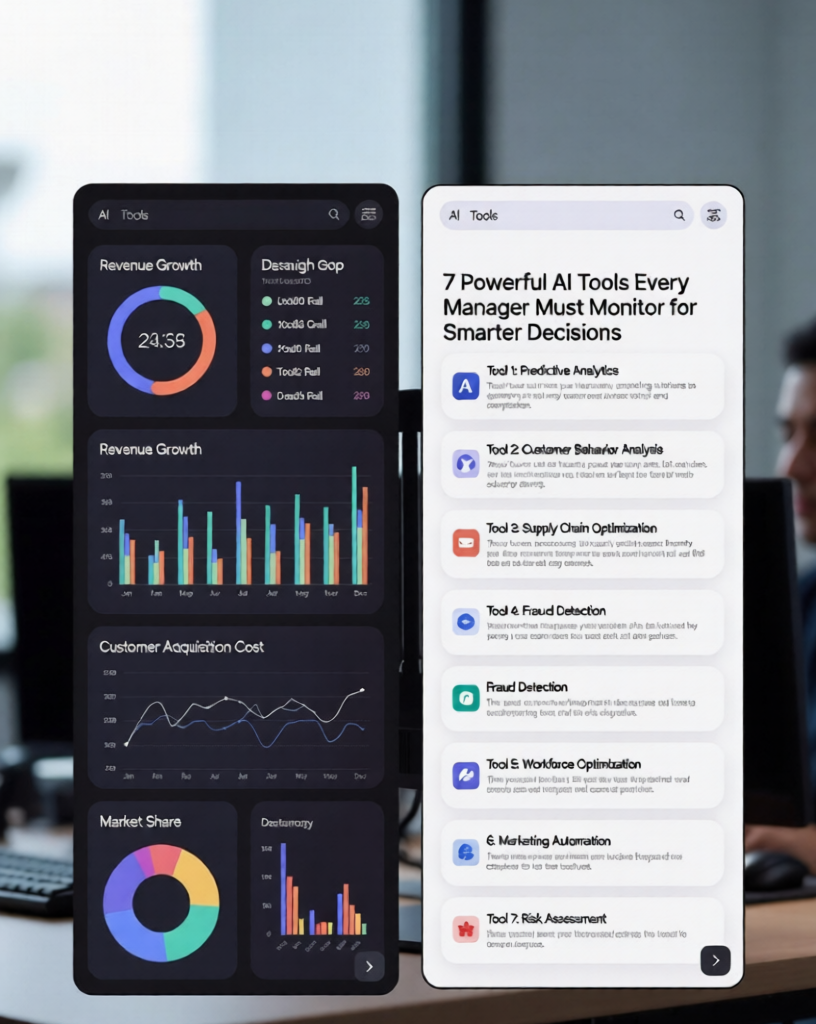
7. Power BI – unified business intelligence for leaders
Power BI provides rich, interactive dashboards that pull data from multiple systems and present it on a single canvas so managers can monitor business performance holistically. Dashboards are updated as underlying data changes, giving leaders near real‑time visibility into sales, marketing, finance, or operations.
Executives often use Power BI dashboards to track high‑level KPIs — revenue, cost, funnel health — and then drill down into specific segments without switching tools. Because tiles can come from multiple reports and data sources, you can monitor cross‑functional performance in one view instead of exporting endless spreadsheets.
This makes Power BI a powerful choice for managers who want a central command centre to monitor trends, run what‑if analyses, and communicate results to stakeholders through visual narratives.
Key benefits of using AI tools to monitor teams
When you integrate these AI tools into your management stack, several benefits compound quickly:
- Improved decision‑making: AI helps you analyse more scenarios, weigh trade‑offs, and structure decisions more rigorously, reducing reliance on intuition alone.
- Predictive insights: Analytics platforms and AI engines surface patterns and risks early, so you can monitor leading indicators instead of reacting to lagging metrics.
- Time‑saving automation: Automation features in tools like Trello, Asana, and ClickUp handle repetitive updates, reminders, and status reports, freeing managers to focus on coaching and strategy.
- Enhanced communication: AI‑generated summaries and status updates keep everyone on the same page without extra meetings, improving cross‑team clarity.
- Data‑driven leadership: Dashboards in Tableau and Power BI create transparency around performance, encouraging ownership and accountability at all levels.
For more strategic perspectives on AI in management, you can reference Harvard Business Review’s guidance on using generative AI as a managerial thought partner.
Challenges managers face while using AI
Despite the upside, managers must monitor a few real challenges when adopting AI:
- Over‑reliance on automation: If you blindly trust AI‑generated insights without applying human context, you risk poor decisions and demotivating your team.
- Data privacy and security: Connecting tools means more data flowing through third‑party systems; you must understand vendor security practices and configure permissions carefully.
- Learning curve and adoption: Teams need time and guidance to adapt to AI‑enhanced workflows, prompt effectively, and interpret outputs correctly.
- Cost vs ROI: Premium features, AI add‑ons, and training require investment; managers must monitor usage and impact to ensure the tools actually improve outcomes rather than becoming shelfware.
McKinsey’s work on data and analytics leadership emphasises that success comes when senior leaders stay actively involved in analytics and communicate a clear vision, not when AI is delegated entirely to technologists.
Best practices to monitor effectively using AI
To get the most from these tools and build authority for your leadership and your organisation, use AI in management with intention:
- Combine human judgment with AI insights: Let AI propose options and highlight patterns, but make final calls based on experience, values, and stakeholder input.
- Set clear KPIs before you automate: Decide what you want to monitor (e.g., cycle time, customer satisfaction, engagement) and design dashboards and automations around those metrics.
- Regularly monitor outputs, not just inputs: Review AI‑generated summaries, recommendations, and dashboards for accuracy, bias, and unintended consequences; refine prompts and configurations over time.
- Avoid AI‑powered micromanagement: Use AI to monitor outcomes and trends, not to scrutinise every keystroke. Focus on trust, autonomy, and coaching, not surveillance.
- Invest in skills: Encourage managers and team members to learn prompting, basic data literacy, and how to interpret dashboards; resources like HBR’s generative AI guides for managers can help.
As you refine your approach, you can support your implementation with additional resources and services available on kritiinfo.com, linking AI strategy with broader digital transformation initiatives.
Real‑life style mini case study
Imagine a mid‑size SaaS company where the customer success team is struggling with late renewals and inconsistent account coverage. The Head of Customer Success decides to monitor the entire lifecycle more systematically using AI tools.
They centralise account plans and renewal playbooks in Notion AI, use Asana Intelligence to track onboarding and QBR tasks, and roll key health scores and renewal dates into a Power BI dashboard for leadership. AI‑generated summaries replace manual status emails, while Trello automation ensures that any at‑risk account automatically triggers a follow‑up sequence.
Within three quarters, the team cuts average onboarding time by 20%, increases on‑time renewals, and sees a measurable lift in NRR — not because someone is “watching” harder, but because the manager can monitor the right signals early and coach the team based on real‑time data.
You can support similar transformations by aligning these tools with the broader management and technology insights you share on kritiinfo.com, turning your site into a practical hub for AI‑enabled leadership.
FAQ: AI tools and monitoring for managers
How can managers monitor teams using AI?
Managers can use AI‑enhanced project tools (Asana, ClickUp, Trello) to track task status, blockers, and workloads, while analytics platforms (Tableau, Power BI) provide dashboards for KPIs and trends. Generative AI tools like ChatGPT help interpret what the data means and suggest actions, turning raw information into decisions.
What are the best AI tools for managers?
A practical stack includes ChatGPT for decision support, Notion AI for documentation and workflows, Trello or Asana with AI for execution, ClickUp Brain as a unified workspace, and Tableau or Power BI for dashboards. The “best” mix depends on your existing ecosystem and where you most need visibility.
Is AI monitoring safe for employees?
AI monitoring is safe and ethical when focused on outcomes and process health rather than invasive surveillance of individual behaviour. Use role‑based permissions, admin controls, and clear communication, so teams understand what’s being monitored and why, and keep a human in the loop for any performance decisions.
Can small businesses use AI tools effectively?
Yes — many of these tools offer free or affordable tiers, and small teams can benefit even more because AI automates reporting, admin work, and analysis that they don’t have staff for. Starting with just one or two tools (for example, ChatGPT plus an AI‑enabled project manager) can dramatically improve how you monitor client work and cash‑generating projects.
What skills are needed to use AI tools?
Core skills include clear prompting, comfort interpreting charts and dashboards, and the ability to define meaningful KPIs. Managers should also understand the basics of data privacy and how to configure permissions. Over time, building these capabilities turns AI from a novelty into a reliable partner for monitoring performance and leading your teams.