
At 02:14 on a Tuesday, an automated alert flashes across the operations dashboard: Customer database latency exceeding 12,000 milliseconds.
Within minutes, support tickets begin flooding in. Shoppers in London cannot check out. Account balances disappear from screens in Singapore. Operations engineers scramble into an emergency video room, suspecting a distributed denial-of-service attack.
The reality is quieter, yet far more disruptive.
Consider this illustrative scenario: a mid-sized digital enterprise stores its production database across multiple international regions to deliver snappy page loads. During a scheduled maintenance script, an engineer mistakenly applies an automated bucket retention policy meant for staging environments to primary storage clusters. Because real-time cross-region replication is active, the misconfiguration mirrors instantly across three continents. The primary data is inaccessible, the live replicas are empty, and nobody has verified the cold backup archive in nine months.
This is the hidden frontier of modern enterprise architecture. Moving bits across borders seems effortless, but storing and managing data in global cloud environments demands disciplined architecture, deliberate governance, and constant vigilance.
Table of Contents
What Global Cloud Infrastructure Actually Looks Like
Strip away the marketing terminology, and the cloud is simply someone else’s physical computer, interconnected through high-speed subsea cables and enterprise routing hardware.
+--------------------------------------------------------------------------+
|                              Global Cloud                                |
|                                                                          |
|  +---------------------------+            +---------------------------+  |
|  |     Region A (e.g., EU)   |            |   Region B (e.g., APAC)   |  |
|  |                           |            |                           |  |
|  |  +-----+  +-----+  +-----+|   Global   |  +-----+  +-----+  +-----+|  |
|  |  | AZ1 |  | AZ2 |  | AZ3 ||  Network   |  | AZ1 |  | AZ2 |  | AZ3 ||  |
|  |  | [DC]|  | [DC]|  | [DC]||<---------->|  | [DC]|  | [DC]|  | [DC]||  |
|  |  +-----+  +-----+  +-----+| Backbone   |  +-----+  +-----+  +-----+|  |
|  +---------------------------+            +---------------------------+  |
+--------------------------------------------------------------------------+
Data Centres, Regions, and Availability Zones
A data centre is a physical warehouse housing racks of servers, power supplies, network switches, and cooling systems.
Major cloud providers group these facilities into cloud regions—specific geographical locations around the world, such as Frankfurt, Mumbai, or Northern Virginia. Each region contains multiple, physically separated locations known as Availability Zones (AZs).
An AZ consists of one or more data centres equipped with independent power, cooling, and networking. If a transformer blows in AZ-1, systems running in AZ-2 and AZ-3 within that same region keep operating without interruption.
Deployment Models: Public, Private, Hybrid, and Multicloud
- Public Cloud: Infrastructure owned and operated by third-party providers such as Amazon Web Services, Microsoft Azure, or Google Cloud. You share hardware via virtualisation with other tenants, but your data remains logically isolated.
- Private Cloud: Dedicated infrastructure used exclusively by a single organisation, hosted on-premises or by a managed service provider.
- Hybrid Cloud: An environment combining on-premises private infrastructure with public cloud environments, bound together by secure network connections.
- Multicloud: The practice of distributing workloads and storage across two or more distinct public cloud vendors to avoid vendor lock-in or satisfy specific regional capabilities.
Foundational Security and Recovery Controls
- Data Replication: Copying digital assets across storage systems, zones, or regions to maintain availability.
- Backups: Point-in-time snapshots stored independently from live workloads.
- Encryption: Mathematical transformation of plaintext into ciphertext. Cloud environments require encryption at rest (stored on physical drives) and in transit (moving across network cables).
- Access Control: Guardrails determining who can view, edit, or delete assets, typically governed by Identity and Access Management (IAM) policies.
- Disaster Recovery (DR): The documented, tested technical playbook that restores systems when primary infrastructure fails.
Evaluating Storage Architectures: A Clear Comparison
Not every workload belongs in a distributed global mesh. Understanding trade-offs prevents expensive architectural missteps.
| Practical Criteria | Centralised Cloud Storage | Distributed Regional Storage | Multicloud Architecture |
| Primary Advantage | Simple management & auditing | Low latency; regional resilience | No single provider dependency |
| Operational Complexity | Low | Moderate | High |
| Egress & Transfer Cost | Low local transfer; high user latency | Significant cross-region transfer fees | Elevated inter-cloud networking fees |
| Data Control & Sovereignty | Straightforward compliance | Requires careful regional mapping | Fragmented policy enforcement |
| Recovery Mechanism | Single-region snapshots & cold vaults | Automated cross-region failover | Complex multi-platform orchestrations |
Expert Insight: The Fallacy of Automatic Redundancy
A common trap is assuming that geographically distributed storage inherently provides data protection. Distributed storage solves hardware availability, not data integrity.
If an attacker gains administrative privileges or a software bug introduces data corruption, real-time replication synchronises that corruption worldwide in milliseconds. Replicas mirror errors just as efficiently as valid data. Distributed availability is not a substitute for immutable, air-gapped backups.
Similarly, multicloud architectures introduce subtle security risks. Identity configurations, bucket policies, and audit logs function differently on Azure than on AWS or Google Cloud. Engineers managing both environments frequently make configuration mistakes due to policy drift and cognitive overload.
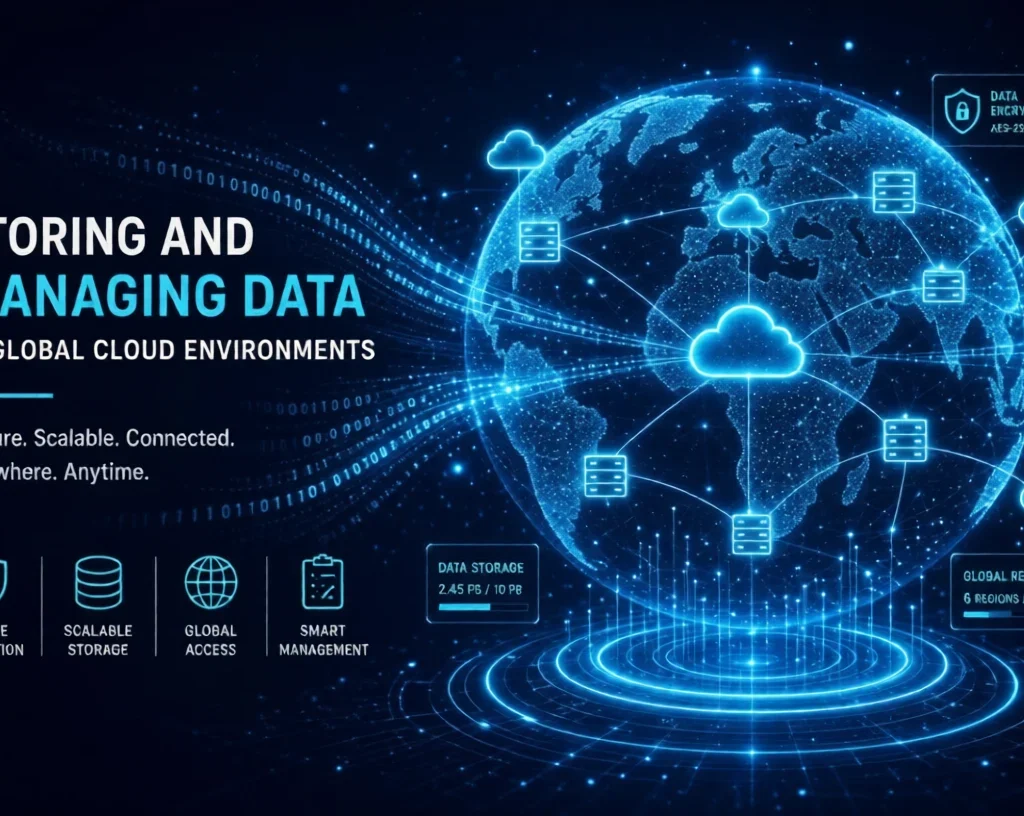
The CLOUD SAFE Framework
To maintain firm control when storing and managing data in global cloud environments, technical teams can apply this practical operational model.
- C — Classify data by sensitivity and business value. Label data as public, internal, sensitive, or restricted. Do not treat marketing assets and customer payment tokens identically.
- L — Locate data according to legal, privacy, and operational needs. Place datasets near your users to minimise network latency, while respecting local data sovereignty mandates.
- O — Organise permissions and enforce least privilege. Deny all administrative permissions by default. Grant temporary access only to the exact resources an employee or service requires.
- U — Use encryption in transit and at rest. Enforce TLS 1.3 across all network interfaces and mandate hardware-backed customer-managed encryption keys for stored disks and objects.
- D — Design backups, replication, and tested recovery plans. Maintain write-once, read-many (WORM) storage vaults. Decouple active replication channels from disaster recovery archives.
- S — Study costs, performance, and transfer charges. Cloud providers charge nominal fees to store data, but levy substantial fees when moving data across regions or off the internet (egress charges).
- A — Audit access, configurations, and compliance. Centralise audit logs into an immutable monitoring workspace. Monitor configuration changes using automated posture-management scanners.
- F — Fix vulnerabilities and eliminate unnecessary data exposure. Regularly audit public-facing storage endpoints. Close unnecessary ports and immediately delete stale developer access tokens.
- E — Evaluate recovery readiness through regular testing. Run scheduled recovery drills. An unverified backup is merely an unproven assumption.
Global Data in Practice: The Cross-Border Retailer
To see these mechanics in action, consider an illustrative modern consumer business: an Indian e-commerce enterprise headquartered in Bengaluru that serves retail buyers across Europe, Southeast Asia, and North America.
                         [ Global Users ]
                                |
                   (Geo-DNS / Anycast Routing)
                                |
        +-----------------------+-----------------------+
        |                       |                       |
   [EU Region]            [APAC Region]           [US Region]
   Frankfurt               Singapore               N. Virginia
   - User PII              - Local Catalog         - User Profile Caches
   - Local DB Shards       - Read Replicas         - Static Web Assets
        \                       |                      /
         \                      |                     /
          +-----> [Centralised Analytics / Core DB] <+
                  Bengaluru (India)
                  - Master Accounts
                  - Cold Backup Vaults (Object Lock)
Operational Architecture
- Catalog Media & Images: Uploaded to object storage in Singapore, distributed globally via a Content Delivery Network (CDN) edge cache. Users download images from local edge nodes, driving latency down below 30 milliseconds.
- European Customer Data: Under the European Union General Data Protection Regulation (GDPR), personal identifying information (PII) regarding EU residents requires strict cross-border transfer protections. The retailer provisions dedicated operational databases in a Frankfurt cloud region, ensuring customer profiles remain within European legal jurisdictions.
- Transaction Records: Financial ledger entries write directly to an append-only relational database in the Mumbai region, replicated asynchronously to an secondary zone for high availability.
Outage Response and Cost Defences
When an undersea fibre cable cut causes packet drops between Singapore and Europe, the platform’s Anycast DNS automatically re-routes Southeast Asian read queries to secondary endpoints in Mumbai.
To prevent catastrophic bill shock from regional data syncing, the engineering team configures lifecycle rules: raw analytical event streams are compressed, held in standard storage tiers for 30 days, and automatically migrated to cold archival storage tiers where costs drop by over 70%.
Authoritative Standards and Regulatory Foundations
Global cloud data management is governed by explicit operational frameworks and statutory legal requirements:
- Risk Management and Zero Trust: The National Institute of Standards and Technology (NIST) SP 800-207 defines Zero Trust Architecture, establishing that perimeter security is insufficient. Every request must be authenticated, authorised, and encrypted regardless of location.
- Resilience and Ransomware Defense: Guidance from the Cybersecurity and Infrastructure Security Agency (CISA) highlights the standard 3-2-1 backup strategy: maintain three copies of data across two different media types, with one copy kept off-site and immutable.
- Shared Responsibility Realities: Technical architecture documentation from major cloud platforms—including AWS Storage Documentation, Microsoft Azure Architecture Center, and Google Cloud Architecture Framework—consistently defines the Shared Responsibility Model. Providers secure the underlying physical facilities, hypervisors, and hardware; customers bear sole responsibility for identity governance, data classification, operating-system patches, and access permissions.
Benefits, Trade-Offs, and Common Misconceptions
Global cloud systems deliver genuine advantages, but they also bring operational challenges that require honest evaluation.
       BENEFITS                                DRAWBACKS
+------------------------+             +------------------------+
| - Global Scalability   |             | - Network Egress Fees  |
| - Sub-second Latency   |    VS.      | - Complex Monitoring   |
| - Built-in Redundancy  |             | - Compliance Overlaps  |
| - Rapid Elasticity     |             | - Vendor Lock-in Risks |
+------------------------+             +------------------------+
Three Critical Misconceptions
Misconception 1: Cloud storage protects automatically against data loss
Cloud providers ensure that their hard drives and server nodes remain online. They do not protect against accidental file deletion, corrupted database records, or malicious insider actions. If you drop a database table, your cloud host will execute that instruction across every zone you have paid for.
Misconception 2: Storing copies across multiple regions guarantees recovery
A disaster recovery plan requires more than cross-region replication. If your secondary region lacks the provisioned computing capacity, network routing tables, and decrypted encryption keys to run production applications, your replicated data is practically unusable during an outage.
Misconception 3: Migration equals instant regulatory compliance
Deploying an instance in an EU, US, or Indian data centre does not make you automatically compliant with local laws. Compliance depends on how data is handled, who holds the decryption keys, how access logs are managed, and whether employee workstations have access to production environments.
Practical Cloud Health Checklist
Tasks Any Business Owner Can Complete Today
- [ ] Enforce Multi-Factor Authentication (MFA): Require hardware security keys or authenticator apps across all administrative accounts.
- [ ] Review Public Storage Endpoints: Audit all cloud storage containers to verify that none are publicly readable over the open internet.
- [ ] Inventory Core Data Assets: Document precisely where sensitive operational and customer records are physically hosted.
Tasks Requiring Cloud Engineers or Security Specialists
- [ ] Configure WORM Storage Vaults: Enable immutable object locks on backup targets to eliminate ransomware deletion vectors.
- [ ] Execute Disaster Recovery Drills: Perform mock regional outages to measure the Recovery Point Objective (RPO) and Recovery Time Objective (RTO).
- [ ] Audit Network Egress Costs: Review cross-availability zone and cross-region transfer charges to eliminate inefficient internal data routes.
- [ ] Harden IAM Trust Boundaries: Remove broad administrative wildcards (
*) from machine service roles and individual user permissions.
Frequently Asked Questions
What is global cloud data management?
It is the disciplined practice of organizing, securing, routing, storing, and monitoring digital information distributed across multiple geographical data centres operated by cloud infrastructure providers.
Is storing data in multiple countries safe?
Yes, provided that the data is robustly encrypted both in transit and at rest using modern encryption standards, and access is tightly restricted. However, it introduces complex legal exposure under regional privacy mandates such as the EU GDPR or India’s Digital Personal Data Protection Act (DPDPA).
What is the difference between cloud replication and backup?
Replication synchronises live data changes continuously across servers or regions to maintain immediate service uptime. A backup creates an isolated, point-in-time copy designed to restore clean data if primary systems are compromised, corrupted, or deleted.
How can businesses prevent catastrophic cloud data loss?
Combine immutable backups that cannot be overwritten or deleted with strict least-privilege identity access management, automated configuration monitoring, and regular restoration drills.
Which is better: multicloud or a single cloud provider?
For small and mid-sized enterprises, a single well-architected cloud provider is generally safer and far less expensive because it avoids management complexity and fragmented identity models. Multicloud is best suited for large enterprises that need specific geographical availability or face strict regulatory requirements.
How do organisations control unexpected cloud storage costs?
Implement lifecycle data retention policies that transition aged data to archival tiers, establish billing budget alerts, and minimise unneeded cross-region data transfers.
Securing the Global Cloud Perimeter
Back in the emergency operations room, the resolution is straightforward.
The engineers discover that although the live distributed clusters were damaged by the misconfigured script, their secondary cold backup vault in an isolated administrative account remained intact. Protected by immutable object locking and decoupled from real-time replication pipelines, the backup withstood the automated deletion routine. Systems are restored, the database integrity checks clear, and normal transactions resume before business hours open in London.
Data infrastructure does not run on hope or marketing promises. Storing and managing data in global cloud environments succeeds only when technical teams respect the physics of distributed systems, implement zero-trust access, and treat recovery testing as a non-negotiable operational standard.
Take one practical action today: log in to your primary cloud console, identify your most critical production data storage location, and verify when an engineer last successfully restored an application from its backup.